We hacked our way back into KF6RAL
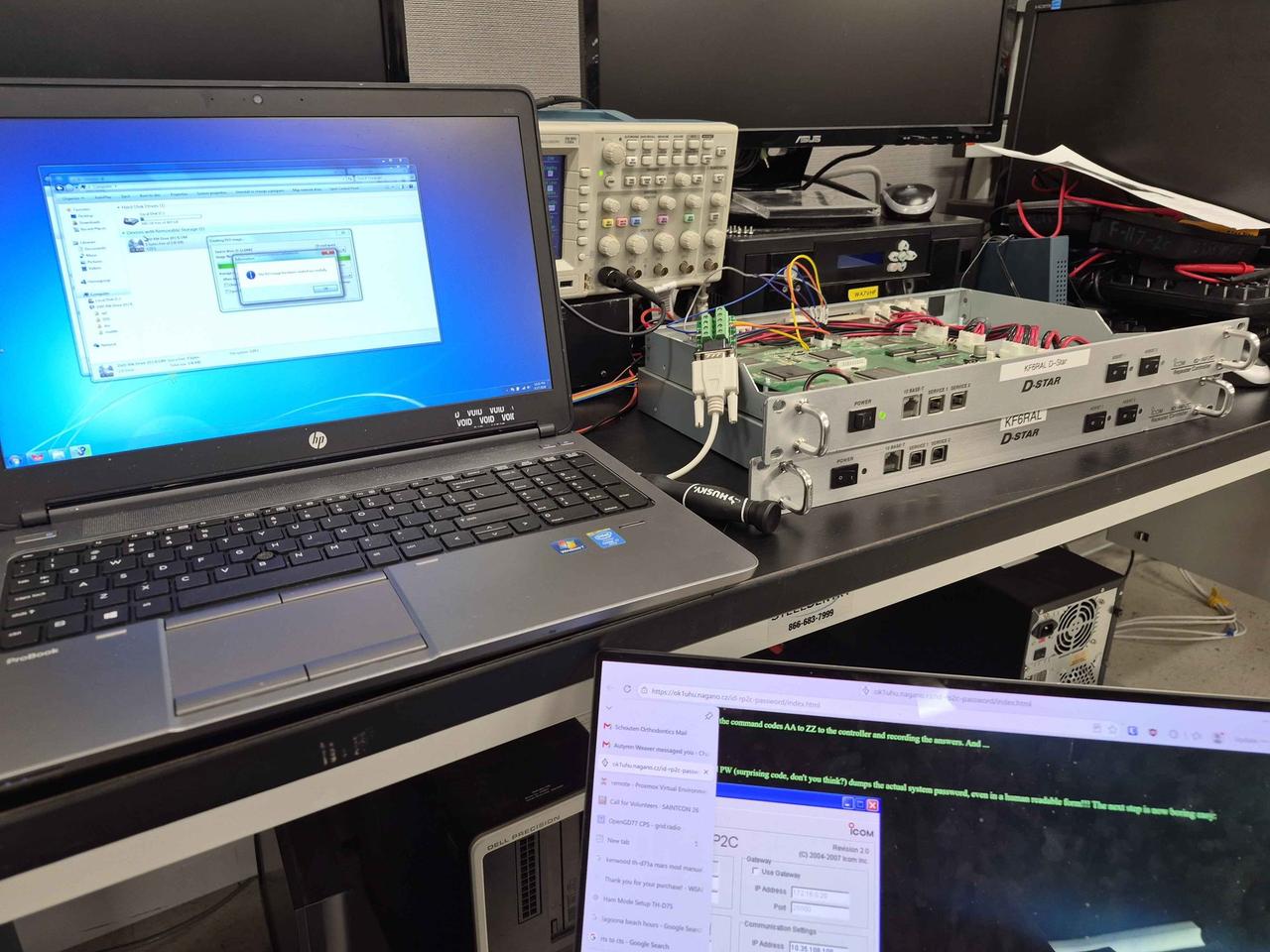
KF6RAL has been on the air the whole time (the RF side never went down), but for a long stretch its gateway has been disconnected from the internet, so it has been a stand-alone repeater rather than a node on the wider D-STAR network. The KF6RAL trustee, K2NWS, moved to New York and the controller password was forgotten. The system needed to be reassigned to a Utah trustee under a new callsign (WA7VHF), but without the admin password nobody could log into the controller to make the change. The ID-RP2C came down off the mountain and into a lab at the University of Utah, and there it sat. I started this site partly because the gateway side of Utah's flagship D-STAR system had gone dark and nobody seemed to know much about it, or about D-STAR in Utah at all. Everything was outdated. So when I found out the controller was still sitting on a bench, I reached out and offered to help.
The lost-password problem
Once an admin password is set on the controller, the box politely refuses every meaningful configuration change without it. There is no documented reset procedure. Icom's support answer for a lost password is to send the controller back to Japan.
Except: there is a documented unofficial recovery. OK1UHU (original, local mirror) was given a working-but-locked RP2C by friends, got nowhere with Icom support, and reverse-engineered the box from its onboard serial port. He worked out that the controller speaks a simple ASCII protocol at 9600 N/8/1 with RTS/CTS flow control: lines sent to the controller start with fd followed by a two-letter command code and optional colon-separated parameters, and replies come back with the matching br prefix. He wrote a script that walked every two-letter code from AA to ZZ and logged the replies. One of them, PW, returned something very interesting:
fdPW            ← sent to the controller
brPW
mypass          ← the current admin password, in plaintext
No authentication, no challenge, no obfuscation. The 2007 firmware just hands the password to anyone who can reach the service port. Whoever shipped that either left a backdoor in or did not consider that port a security boundary. Either way, if you can get a serial cable onto J6 and a terminal on the other end, you are in.
Cable and pinout
The service port on the ID-RP2C is a 6-pin JST-style header marked J6 on the controller PCB (we only use pins 1–5). It carries a standard RS-232 serial signal on small-pitch pins. I didn't have a cable that mates with J6 directly, but I had a stash of RS-232 debug cables on the shelf already wired and labelled, so I matched the right ones to the right J6 pins and ran the other ends into a DB9 screw-terminal breakout.
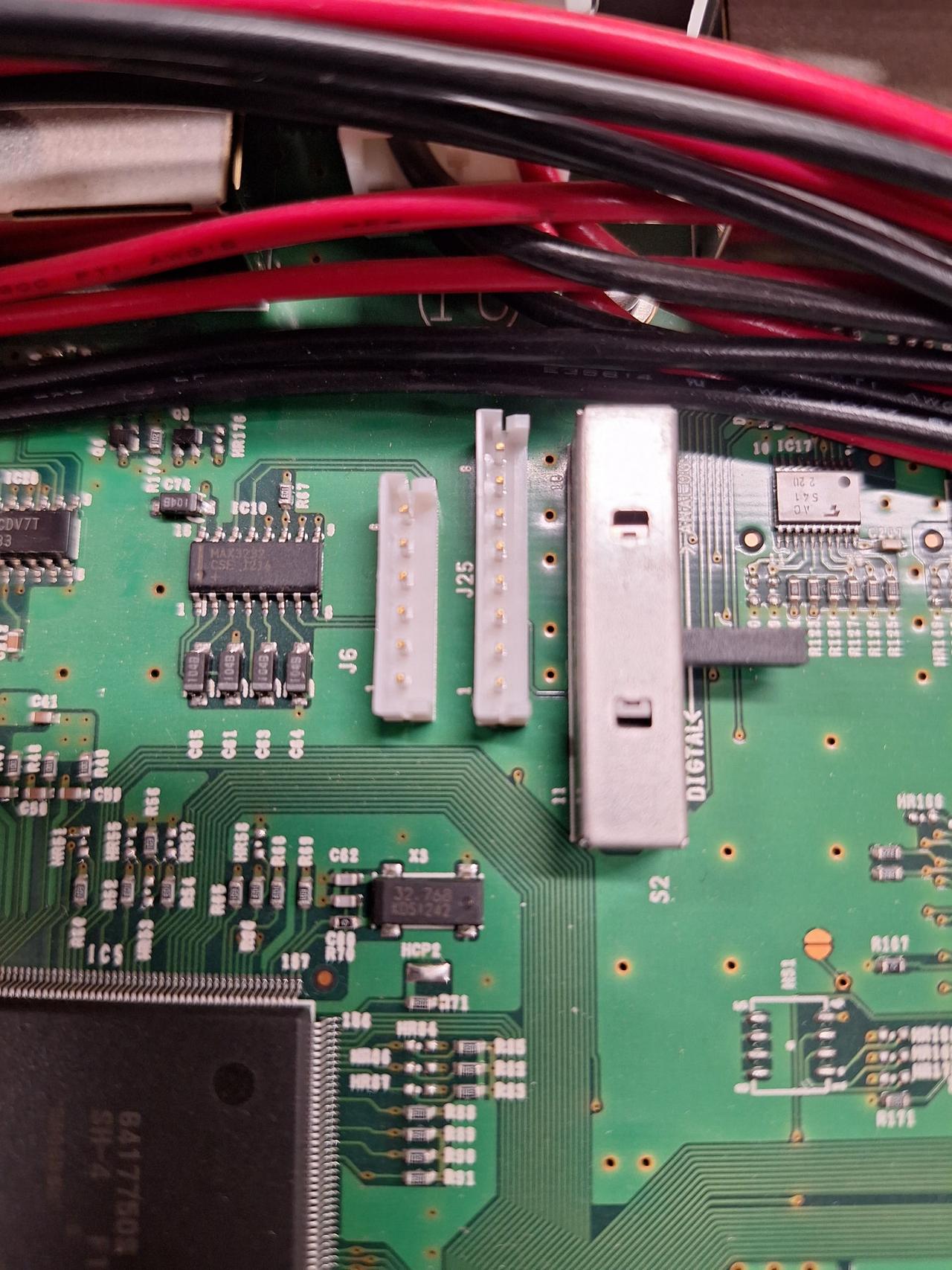
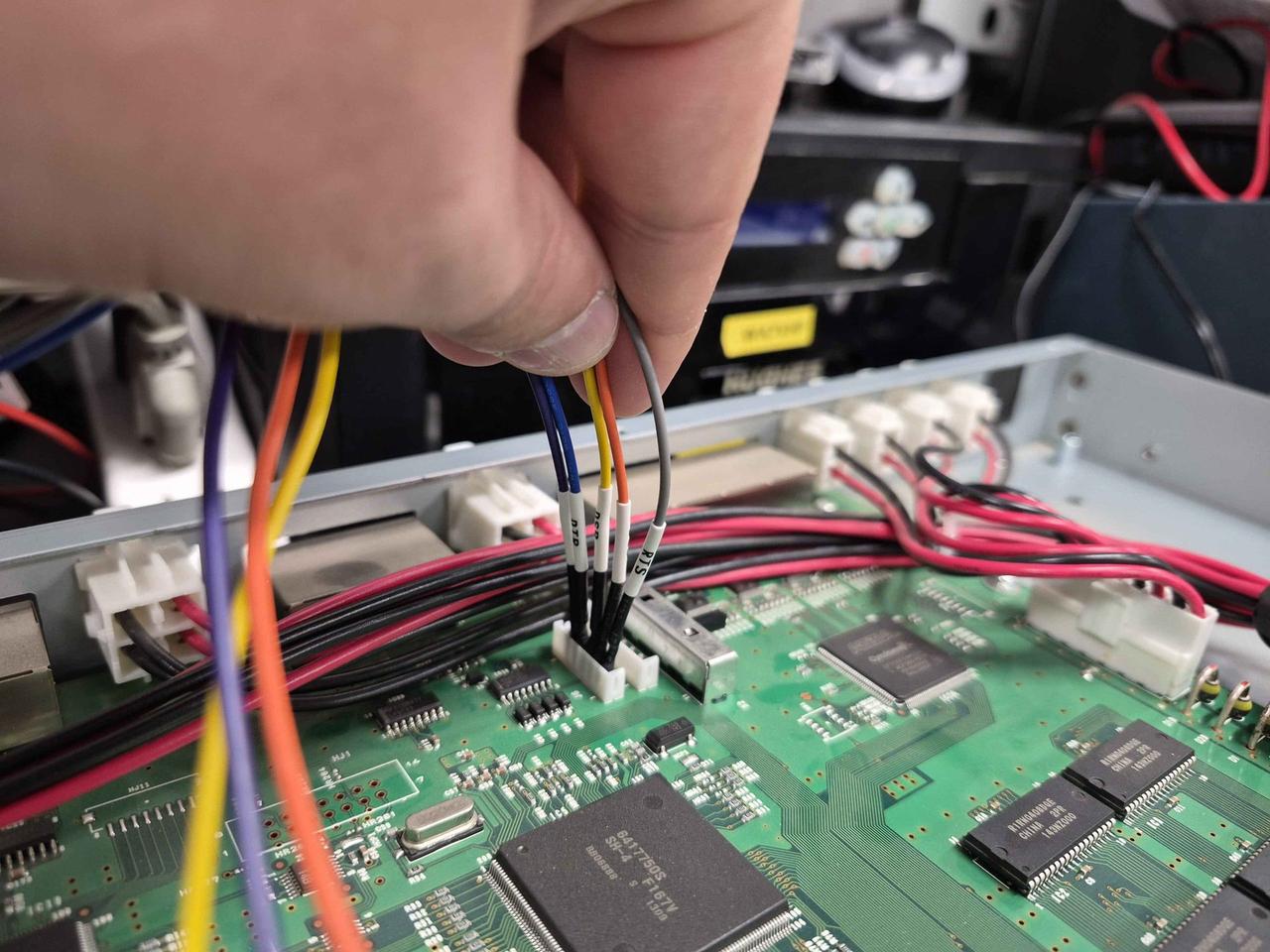
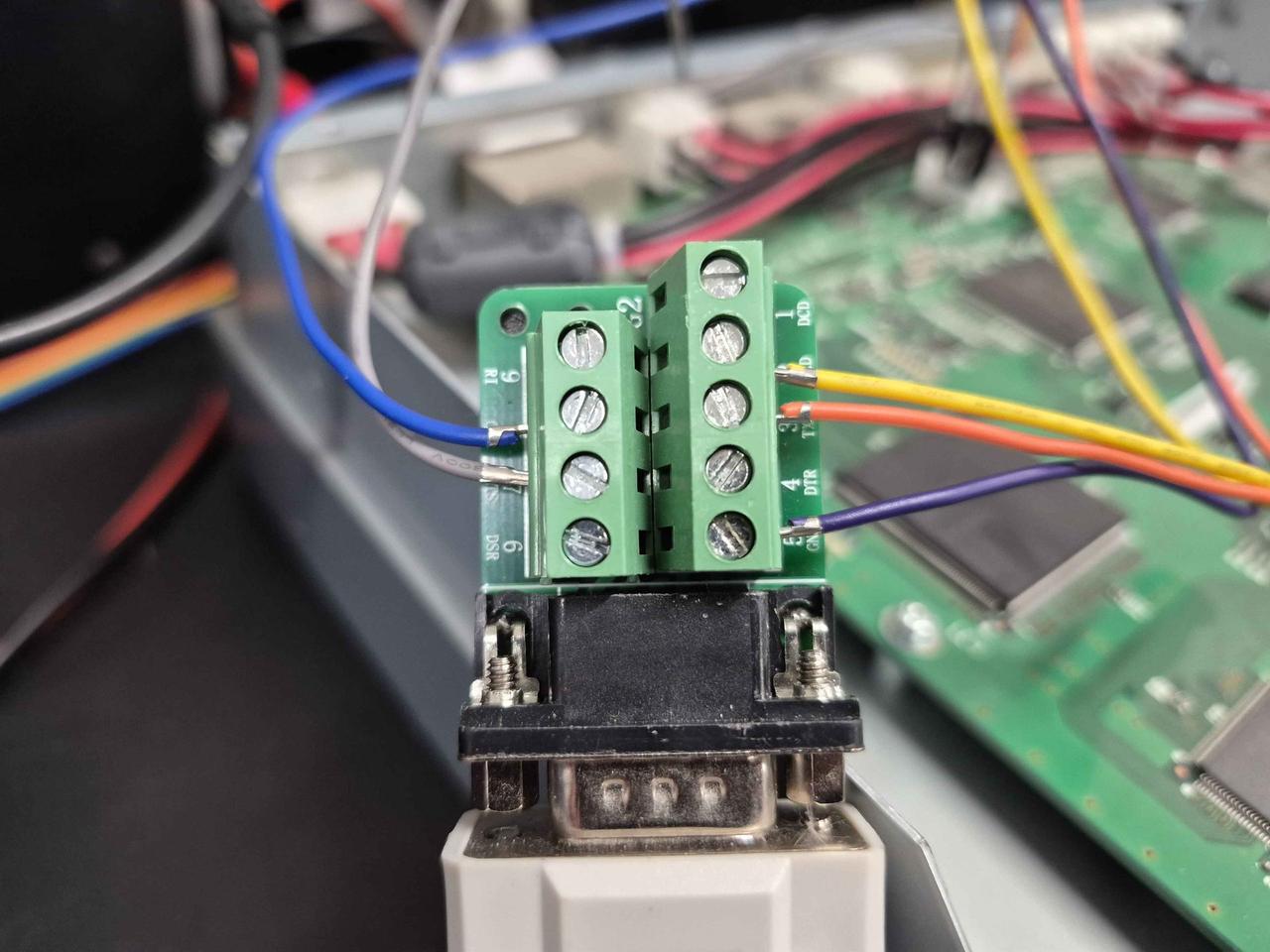
OK1UHU's published pinout did not work for me. I followed his wiring carefully on the same board and got nothing back from the controller. Rather than chase down why, I worked out a different mapping on J6 that did open a session. If you are building a cable for this board, this is what ended up working on my unit:
| J6 | Wire | DB9 | Signal |
|---|---|---|---|
| 1 | grey | 7 | RTS |
| 2 | orange | 3 | TxD |
| 3 | yellow | 2 | RxD |
| 4 | blue | 8 | CTS |
| 5 | purple | 5 | GND |
The laptop problem
To avoid issues with the RS-RP2C utility program (written for Windows XP), I worked to find a machine that could run 32-bit Windows. Elijah (KK7GKG) offered an XP-era Dell Latitude D620 early in the project. I ended up running it on an HP ProBook 650 G1 with Windows 7 (donated from 801 Labs), which is one of the last business laptops to ship with an honest-to-goodness DB9 serial port on the side. The RS-RP2C utility picked it up as COM1 with no fuss.
The session
On June 17, 2026 I drove the kit up to John K7JL's lab at the Merrill Engineering Building. We mated the cable to J6 on the controller, double-checked TxD/RxD with a scope before powering anything up, and brought up PuTTY on the laptop's serial port at 9600 N/8/1 with RTS/CTS. Then we typed the magic four characters:
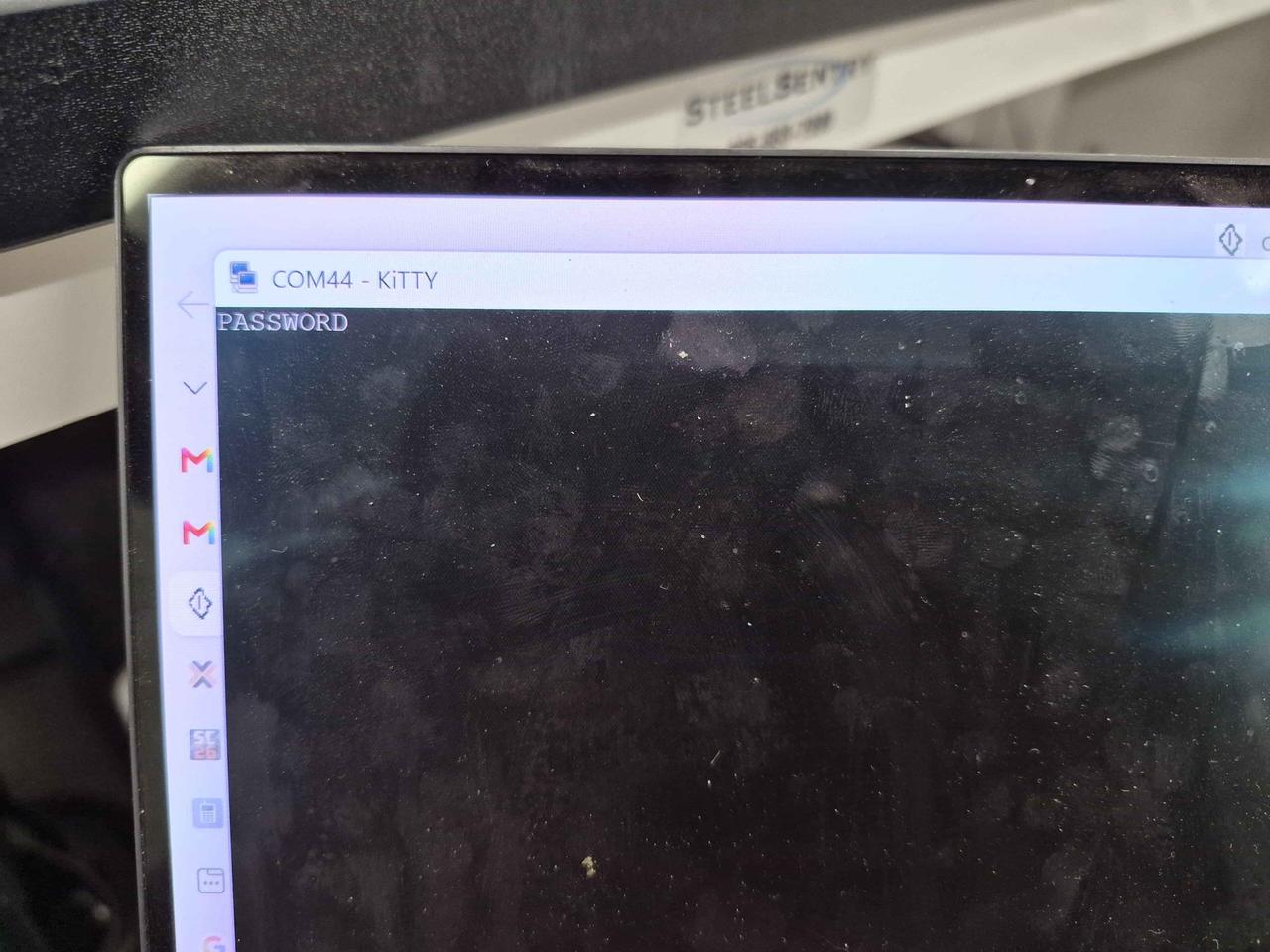
fdPWThe controller answered with brPW and, on the next line, its admin password in plain ASCII. No prompt, no auth, just the string. The string was: PASSWORD. We typed fdPW a second time to make sure we read it right. Same answer. Took a photo because nobody was going to believe us.
Connecting over Ethernet
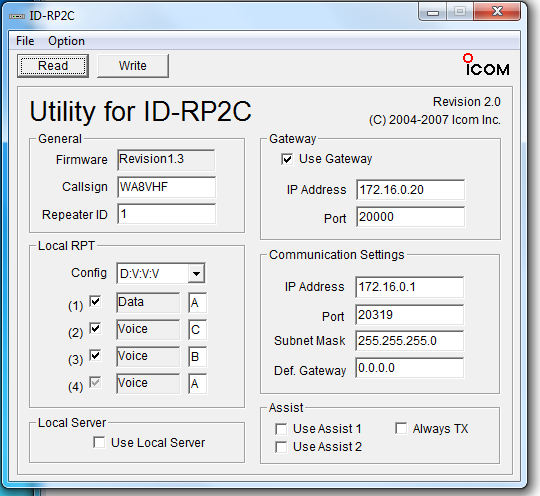
With the password in hand, the actual management path is over Ethernet. The ID-RP2C sits on a private subnet: the controller's management address is 172.16.0.1 on UDP port 20319 with mask 255.255.255.0, and the bundled gateway lives at 172.16.0.20. There is no DHCP. The laptop's Ethernet adapter has to be on a static IP in the same subnet before the RS-RP2C utility will talk to anything. I set the laptop to 172.16.0.5 / 255.255.255.0 with the default gateway blank, cabled straight across to the controller, opened the utility, entered PASSWORD, and clicked Read:
Try default first
Here is the part that makes this slightly less heroic. PASSWORD is the factory default that Icom shipped every ID-RP2C with in the late 2000s. KF6RAL had been sitting on that default the entire time. If we had simply tried PASSWORD over the normal Ethernet management path on day one, the RS-RP2C utility would have logged in and we would have been done in ninety seconds. Instead we wired a cable, dug up a laptop with a real DB9 port, drove across town, and took the long way around. We did, technically, recover the password.
So if you own an unrecovered RP2C and you cannot get in, type PASSWORD into the RS-RP2C utility before you reach for a serial port. And then, obviously, change it.
What's next
The next step is a trip up Farnsworth Peak to put the controller back in the rack, update the gateway callsign properly, and bring WA7VHF (formerly KF6RAL) onto the air. That was originally on for Friday, June 19, but a crane and a flatbed are hauling a concrete building up the same access road that day, and you do not race a crawl-speed cement truck on a one-lane mountain road. So the trip is bumped to another day.
For anyone keeping their own ID-RP2C alive, I mirrored a local backup of the OK1UHU procedure in case the original at ok1uhu.nagano.cz/id-rp2c-password ever goes away. Massive credit to OK1UHU for documenting it in the first place.
Stuck on something similar?
If you are trying to recover the password of your own controller and you'd like some help, get in touch. I am happy to talk through what worked here and help if I can. Drop me a message on Winlink at KG7JZZ, look me up on QRZ, or grab my email: .
Credits
- John K7JL, the KF6RAL trustee, for the lab space and for trusting me to work with your controller.
- Elijah KK7GKG for the early XP-laptop offer.
- Mel NM7P, long-time ARRL Utah Section Manager, for being in the loop and patient.
- OK1UHU (Karel Julis, Prague) for publishing the procedure that made any of this possible.